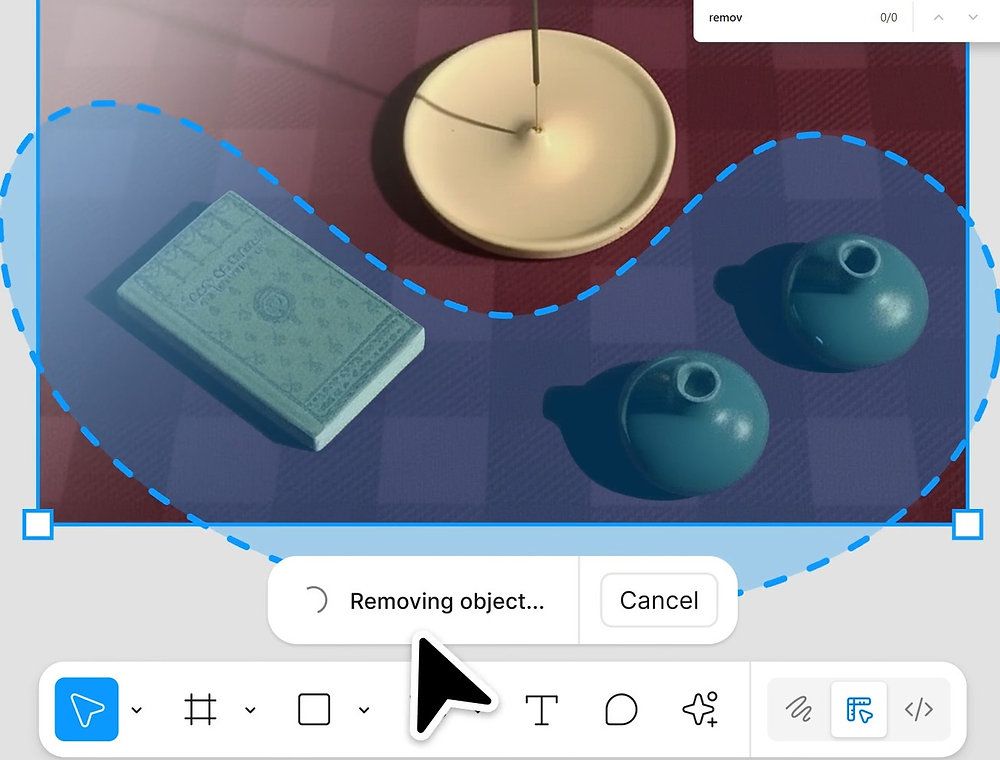
Design enthusiasts, rejoice!
Figma has just unleashed a suite of AI-powered image-editing features that will make your creative process smoother than ever.
Say goodbye to the tedious task of exporting images to other tools for tweaks and importing them back. With Figma's latest update, you can now remove, isolate, and expand images all within the platform!
The revamped lasso tool is your new best friend, allowing you to select and manipulate objects with ease. Whether you're removing an object or isolating it to give it a new home on your canvas, the rest of your image remains intact, preserving its background and colour. Plus, you can fine-tune details like lighting, shadow, and focus for that perfect finish.
Want to hear more? Join Mal & Matt on the Property AI Report Podcast each week!
Access from your preferred podcast provider by clicking here
Need to adapt an image for different formats? Figma's image-expansion feature has got you covered. Effortlessly fill in backgrounds or details when transforming a square image into a sleek web or mobile banner. No more endless cropping and fiddling with elements!
To top it all off, Figma has consolidated its image-editing tools into a single, user-friendly toolbar. From changing background colours to adding annotations, everything you need is just a click away. Given that background removal is a fan-favourite action, it now enjoys a prime spot on the toolbar.
While Adobe and Canva have been offering similar features for a while, Figma is catching up in style. These new capabilities are rolling out on Figma Design and Draw, with plans to expand across all Figma tools next year. So, get ready to unleash your creativity with Figma's AI-powered magic!
Want to hear more? Join Mal & Matt on the Property AI Report Podcast each week!
Access from your preferred podcast provider by clicking here
Made with TRUST_AI - see the Charter: https://www.modelprop.co.uk/trust-ai